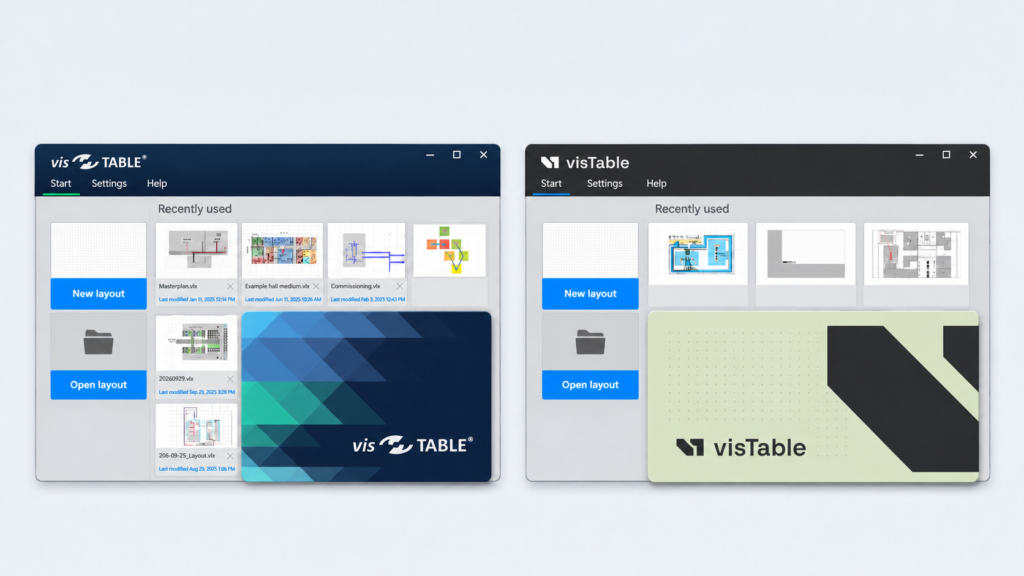
With the November Release, visTable® gets a refreshed look. The logo and colors have been updated to match the new corporate design.
Functionally, the update makes it easier to measure and dimension directly in the layout, enables targeted layer selection when importing CAD backgrounds, and improves performance with large numbers of objects in the Layout Explorer and in visTable®logix.
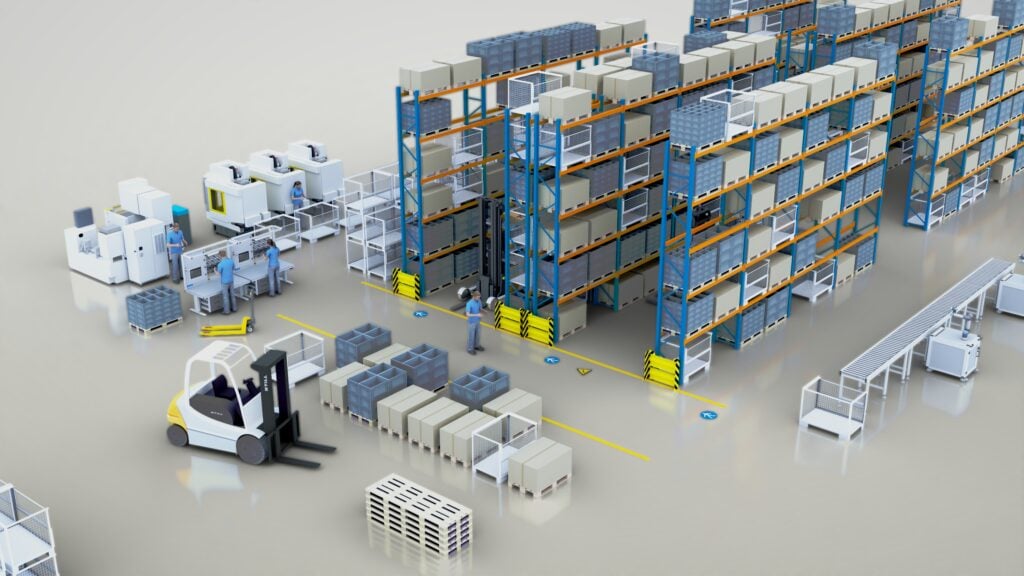
The highlight of the expanded model library is the much-requested configurable pallet rack. In addition, there are new models for warehouse, conveyor, and production areas as well as new safety signs for the digital factory.
With a Polish language version, expanded currency options, and full support for imperial units, visTable® makes planning easier for international teams.
Key new features at a glance:
- Refreshed visTable® look
- Quick measuring and dimensioning directly in the layout
- Importing CAD backgrounds with targeted layer selection
- Performance optimizations in the Layout Explorer and in visTable®logix
- Enhancements for international factory planning
- Model library update: configurable pallet rack, new models, and safety signs
Refreshed visTable® Look
With the November Release, the new visTable® corporate design has been adopted in the software. The refreshed look primarily covers the visTable® logo and the color scheme of the user interface.
Features and familiar workflows remain unchanged.
Quick Measuring and Dimensioning Directly in the Layout
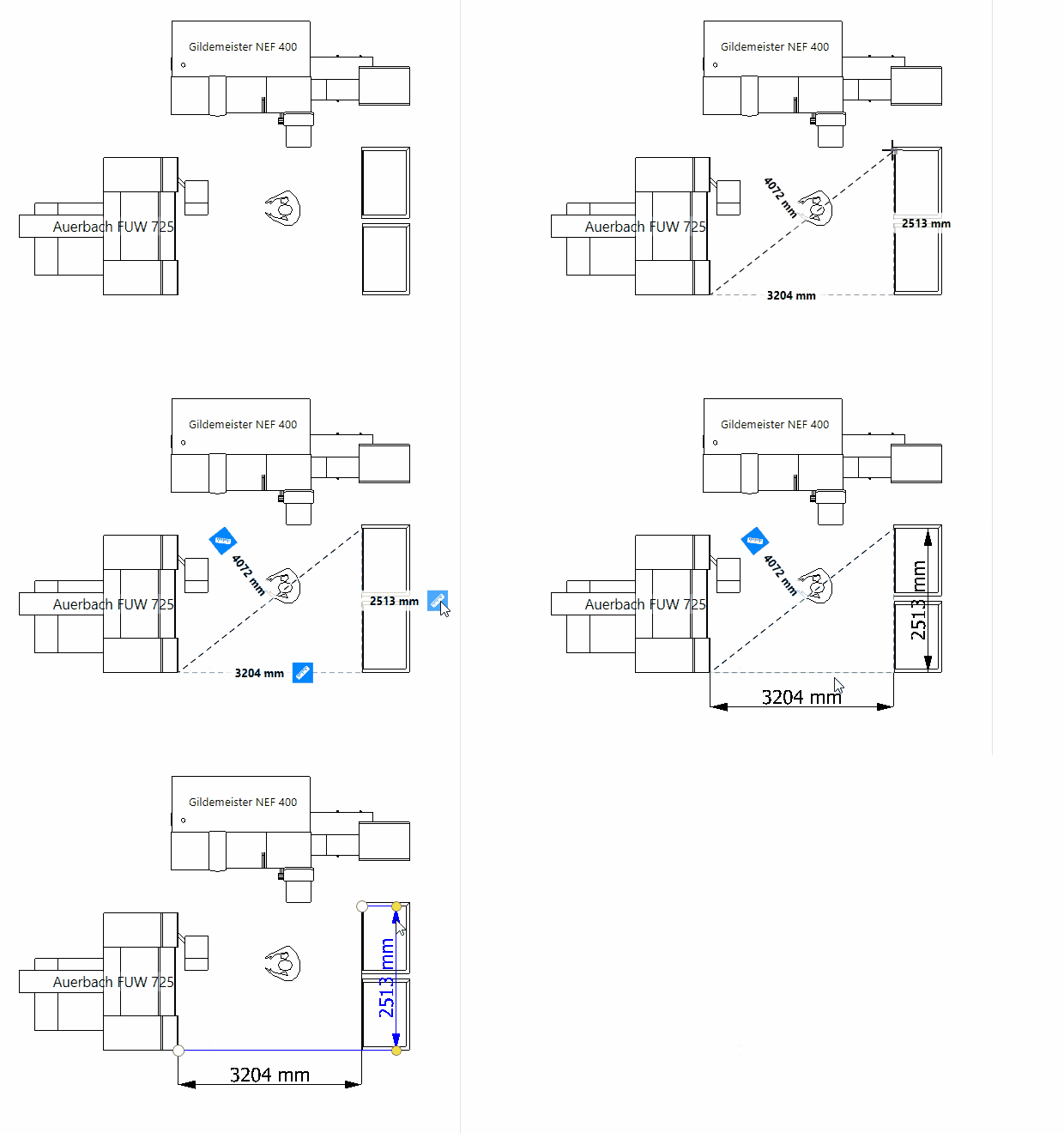
Checking distances and documenting dimensions are everyday tasks in layout planning. Previously, users had to place a dimension object in the layout and then connect the corresponding reference points.
With the update, distances can be determined directly in the layout and, if required, converted into a dimension.
What is new?
- Object snapping to existing geometries, such as lines and corners
- Measurement results at a glance: horizontal, vertical, and direct
- Create dimensions directly from a measurement
Users select the two measuring points in the layout and immediately see the distance. The buttons that appear can then be used to convert the measuring line into a dimension.
This saves work steps and makes it easier to quickly check and document distances during factory planning.
Importing CAD Backgrounds with Targeted Layer Selection
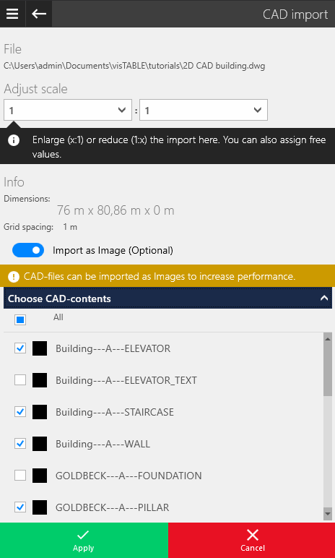
CAD drawings often contain more information than is needed for factory planning. Building structures, technical details, and other drawing elements are placed on different layers.
Previously, all layers were imported when a CAD file was imported as a background image. Now users can select the content they need before importing.
What is new?
- Layer selection before importing a CAD file as a background image
- Layers that are not needed can be deselected
- Only the selected drawing content is imported as the background
For example, building floor plans and relevant layout structures can be imported, while unnecessary technical details remain hidden.
The result is clearer CAD backgrounds that can be used as a basis for factory planning without additional drawing content.
Performance Optimizations in the Layout Explorer and in visTable®logix
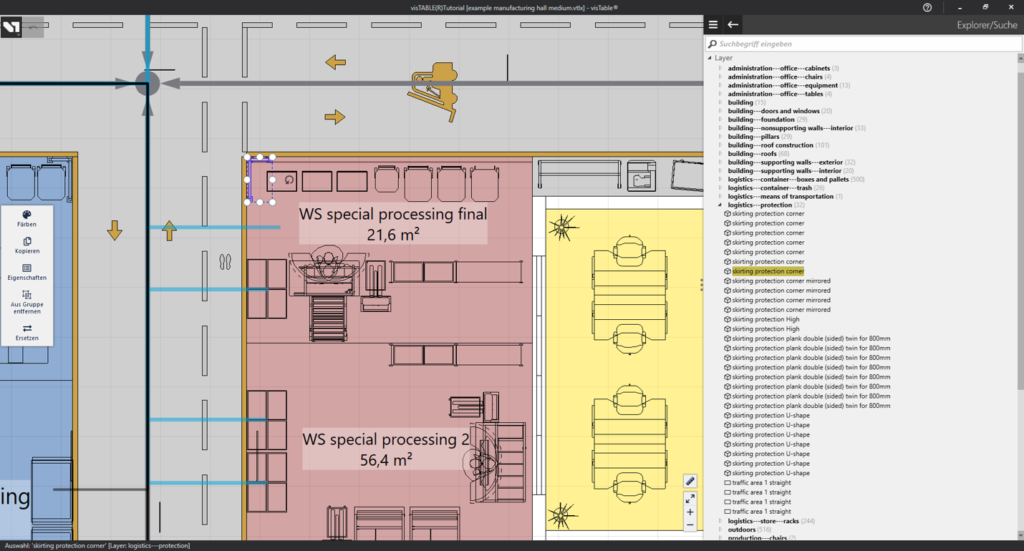
As a factory model grows, so does the number of planning objects. Machines, workstations, storage areas, and other resources need to be found and selected quickly.
What is new?
- Shorter loading times for large numbers of objects in the Layout Explorer
- Faster resource selection in visTable®logix for large layouts
The optimizations make it easier to handle extensive factory layouts and process models. Users benefit from improved performance, especially in projects with many planning objects.
Enhancements for International Factory Planning
Different languages, currencies, and units of measurement are part of everyday work in international planning projects. The November update expands the options for adapting visTable® to these country-specific requirements.
What is new?
- Polish language version: visTable® is now also available with a Polish user interface.
- Additional currencies: In addition to the euro (EUR) and the US dollar (USD), the British pound (GBP), the Czech koruna (CZK), and the Polish złoty (PLN) are also available.
- Imperial units: Full support for the imperial system of units for the US market.
Model Library Update
At the heart of the expanded visTable® model library is the much-requested configurable pallet rack. In addition, there are new models for warehouse, conveyor, and production areas as well as numerous safety signs for digital factory layouts.
Configurable Pallet Rack
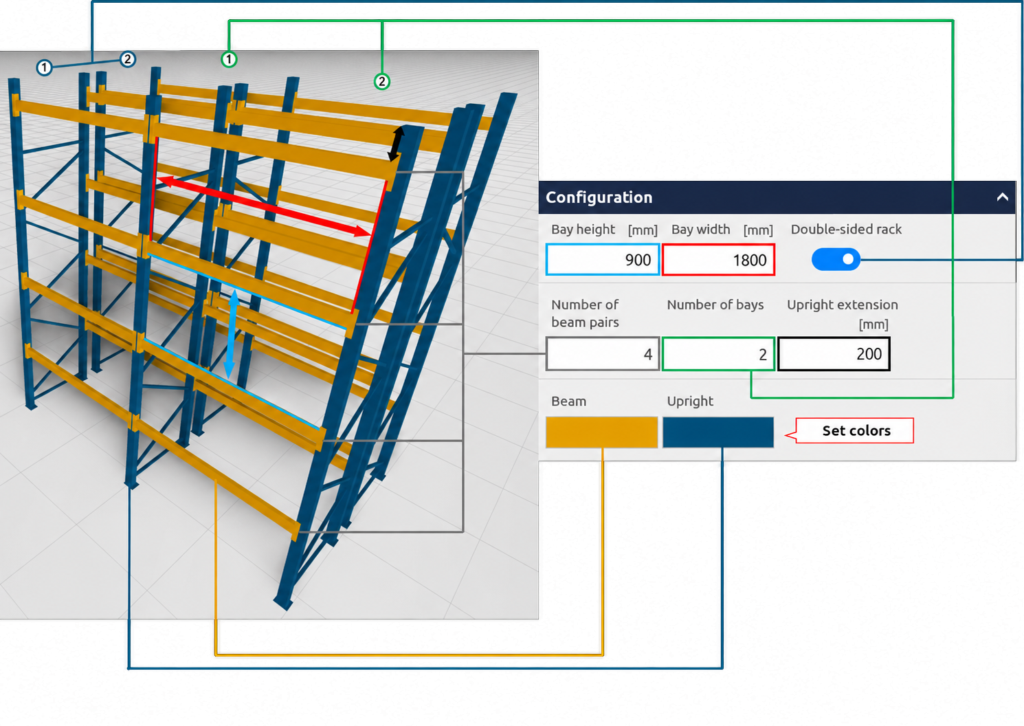
With the configurable pallet rack, rack systems can be adapted to different storage concepts directly in visTable®.
Eleven rack types for longitudinal and transverse storage are available for this purpose. Configurable options include bay height, the number of bays and beam pairs, and a single- or double-sided design.
This makes it possible to represent different rack configurations and entire rack rows without additional individual models.
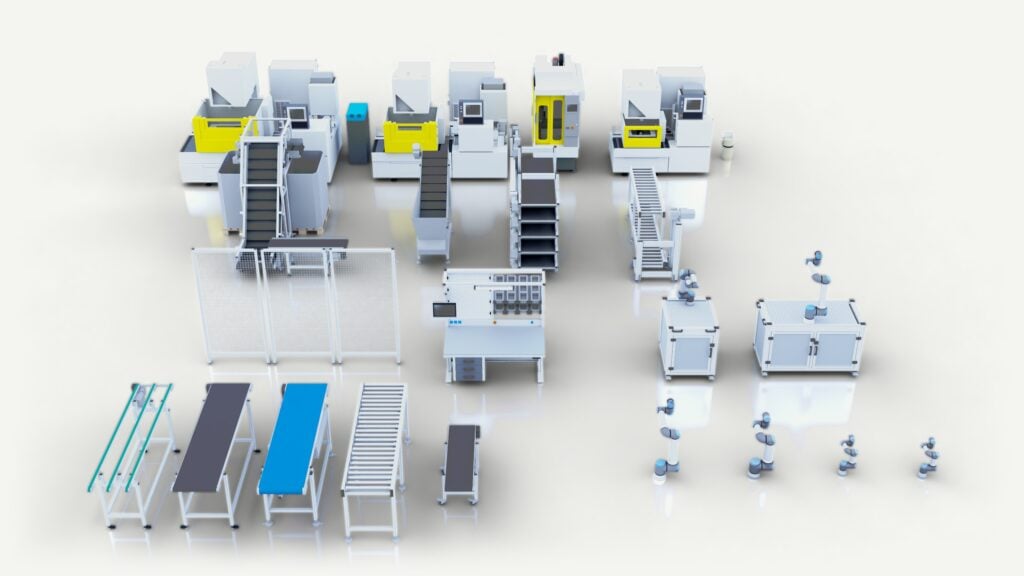
Additional New Models and Manufacturer Catalogs
The new models support a realistic visualization of warehouse, production, and automation areas in the digital factory model.
- Warehouse and conveyor technology: Timing belt, belt, modular belt, and roller conveyors, buffer sections, Z-conveyor, sorting system, and hopper conveyor
- Production and automation: New machine models from FANUC, including ROBODRILL and additional ROBOCUT variants
- Robotics: Additional cobot stations and models from Universal Robots, including planning templates
- Buildings and infrastructure: Additional doors and building elements as well as workbenches and safety fences
New Safety Signs for the Digital Factory
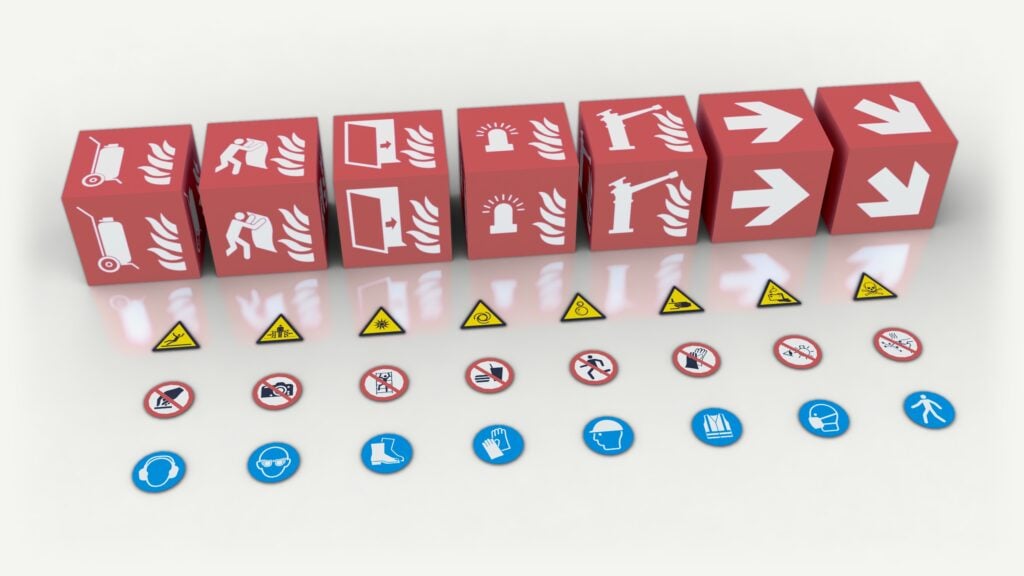
The update expands the model library with numerous safety and fire protection signs for the digital factory.
- Warning signs: for example, for slipping hazards, crushing hazards, and optical radiation
- Prohibition signs: including no touching, no photography, and no climbing
- Mandatory signs: for personal protective equipment and pedestrian walkways
- Fire protection: fire extinguishers, fire blankets, fire doors, and other fire protection equipment
- Directional arrows: straight and diagonal
This allows safety signs and fire protection equipment to be shown directly in the digital factory layout. It supports the visualization and alignment of safety-related planning aspects.
Thank you to the visTable® community!
Many of the new features are based on requirements and suggestions from our users in factory planning practice. This feedback is an important driver for the continuous development of visTable®.