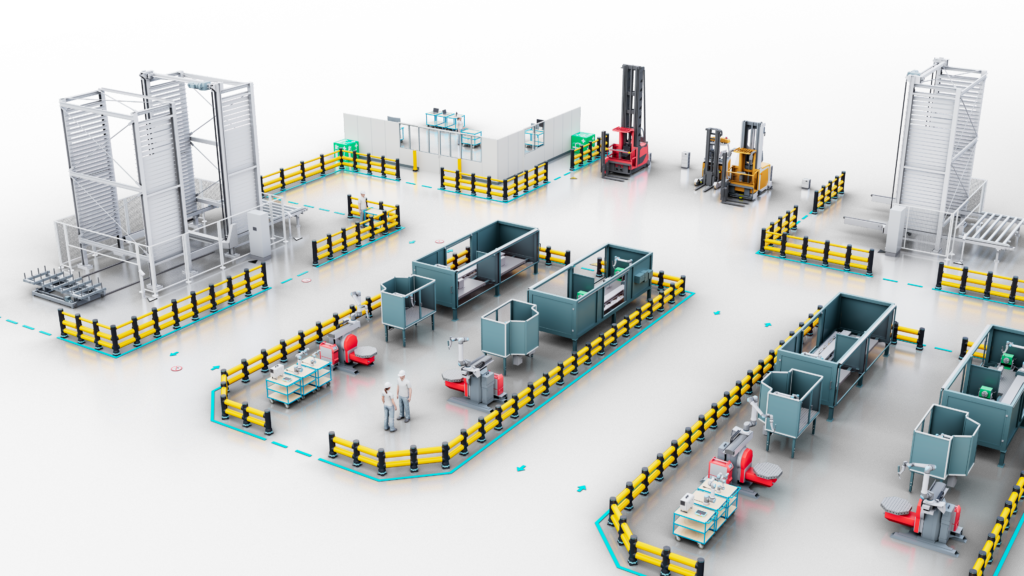
The Summer Release 2026 enhances the handling of large CAD and IFC models, expands building modeling capabilities, and simplifies the visualization of complex processes. It is complemented by numerous improvements for typical daily tasks in factory planning.
The following feature updates are included in the visTable® Summer Release:
- Model simplification
- Importing CAD floor plans as images
- Optimization of IFC import and handling
- Wall and ceiling openings (model)
- Free arrangement in process visualization (logix)
- Exporting transport networks
- Quick measuring
- Favorites in the model library
- Imperial units
Model Simplification
Utilizing large CAD models faster
Three-dimensional CAD models often contain more geometry than required for factory planning. This results in unnecessarily high demands on 3D computing performance.
What is new?
The model simplification feature automatically recognizes complex models and operates in two stages:
- Removal of small and highly detailed elements
- Removal of internal and non-visible geometrics
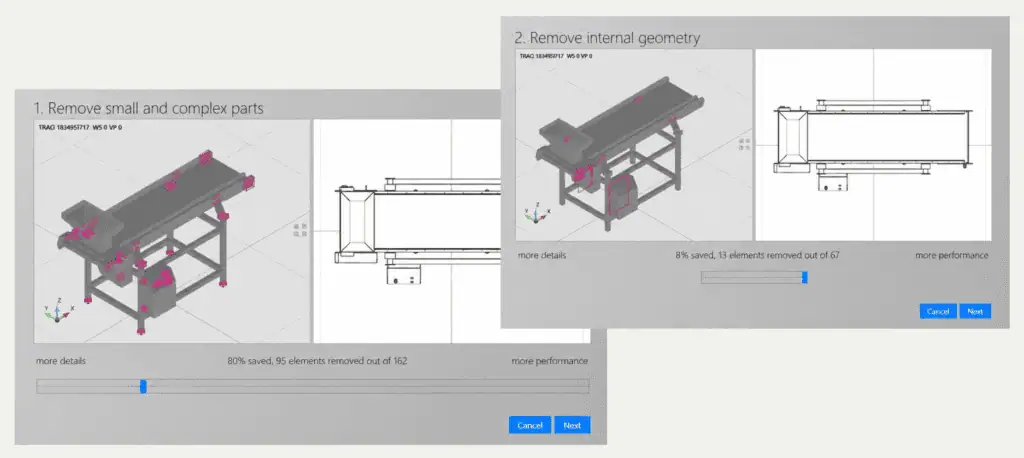
The desired level of detail can easily be set via a slider. The simplified model version is then saved directly in the model library. The result is significantly higher-performing models without losing information relevant to factory planning.
Importing CAD floor plans as Images
Using site plans and CAD basemaps more efficiently
Large site and building plans often contain more geometry than necessary for factory planning. This can unnecessarily impair software performance.
What is new?
- CAD floor plans in dwg format can now be imported as graphics
- The CAD data is automatically broken down into segments of various sizes
- These segments are imported into the layout as pixel graphics
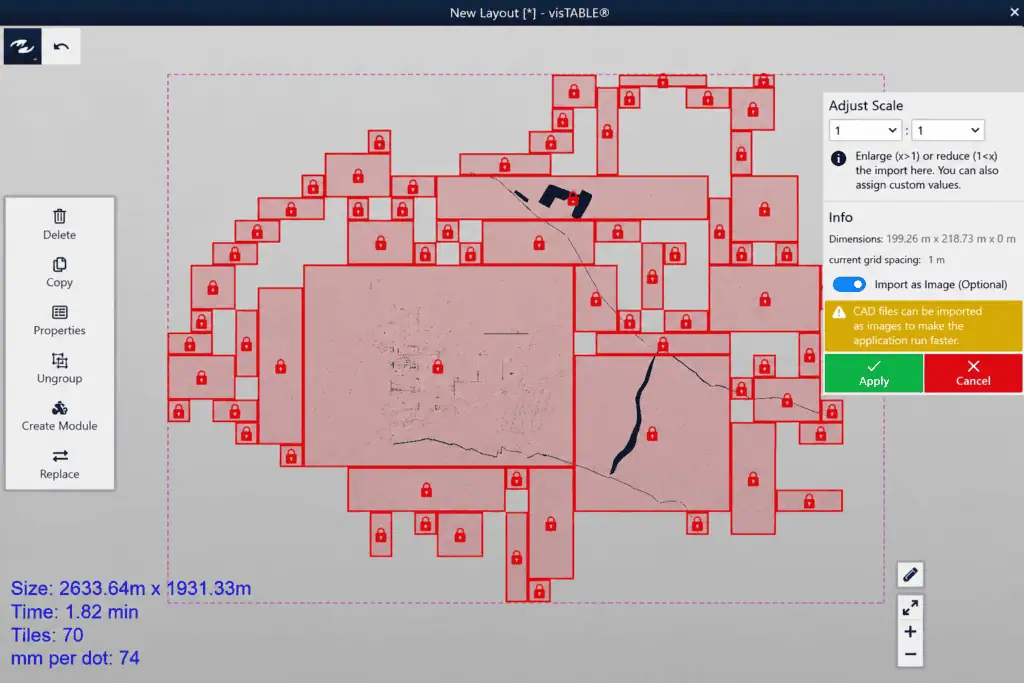
Users can decide for themselves whether to use a CAD file as a CAD model or as a graphic. This allows large site and building plans to be used with significantly higher performance, ensuring a smoother rendering in both 2D and 3D.
Optimization of IFC Import and Handling
Using IFC models more flexibly and purposefully
IFC models frequently contain multiple floors and extensive building information. Previously, accessing individual components of the model after importing was only possible to a limited extent.
What is new?
- Individual floors can be shown or hidden after import
- Components of the IFC model remain separately accessible even after import
- A section plane can be inserted at any desired height
- The horizontal cut is displayed directly in the 2D view
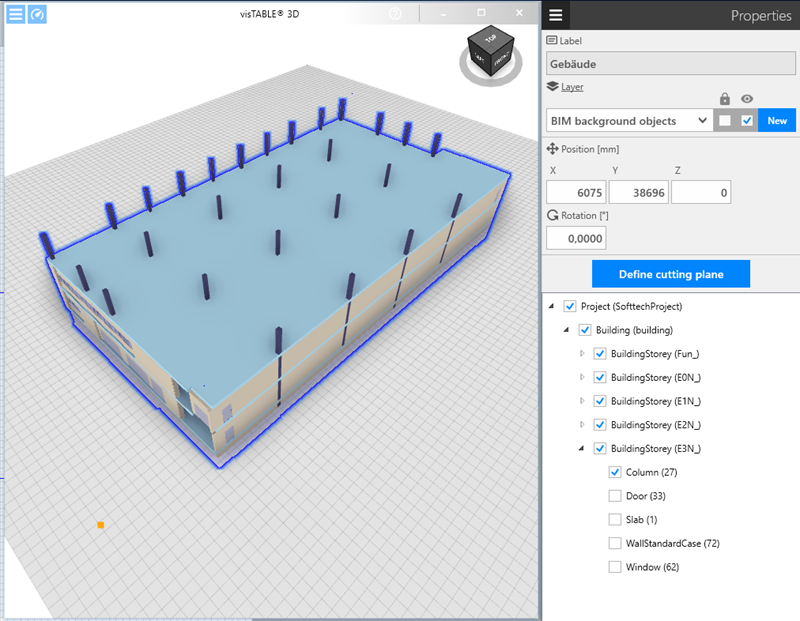
This allows floor plans, story plans, and other relevant areas of a building model to be prepared specifically for factory planning. Consequently, IFC models can be utilized for planning faster and more conveniently.
Wall and Ceiling Openings
Modeling buildings faster and more realistically
When modeling buildings without existing architectural data, users previously had to recreate openings for gates, doors, windows, or technical building services (MEP) using multiple individual wall segments.
What is new?
- Rectangular and circular openings in walls
- Rectangular and circular openings in ceilings
- Direct placement of openings within the model
- Combination with other structural elements such as gates, doors, and windows
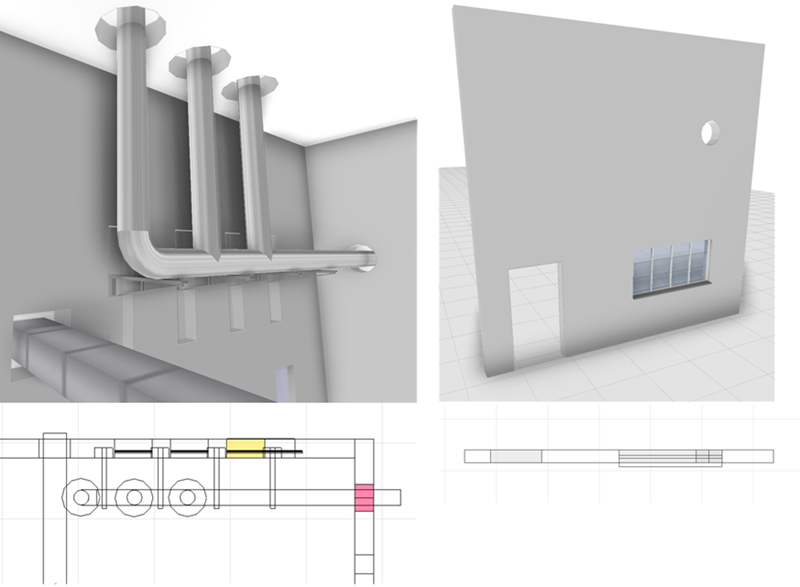
Openings can now be inserted directly into walls and ceilings instead of time-consumingly constructing them from individual segments. This significantly accelerates building modeling.
Free Arrangement in Process Visualization (logix)
Displaying process structures more clearly
Complex process workflows can easily be visualized automatically, but they are not always ideal for presentations or team alignments.
What is new?
- The automatic layout function can be deactivated
- Process boxes can be freely positioned
- Customized arrangements are preserved
- Switching between automatic and manual layout is possible at any time
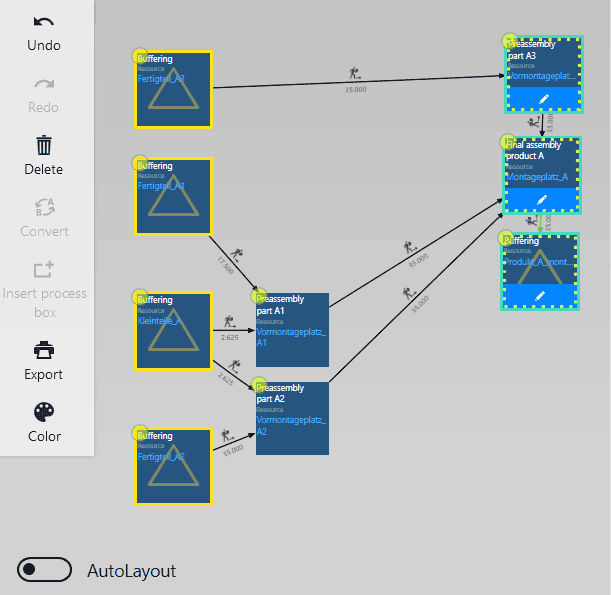
Process sections can now be deliberately separated from one another and presented more clearly. This facilitates the communication of complex workflows and provides greater clarity during presentations and coordination meetings.
Exporting Transport Networks
Providing transport routes for simulations
Transport networks are frequently designed in visTable®, but they often need to be reused in subsequent simulation systems.
What is new?
- Export of transport networks to Excel
- Output of nodes including position data
- Export of connections between data
- Simple post-processing in simulation environments
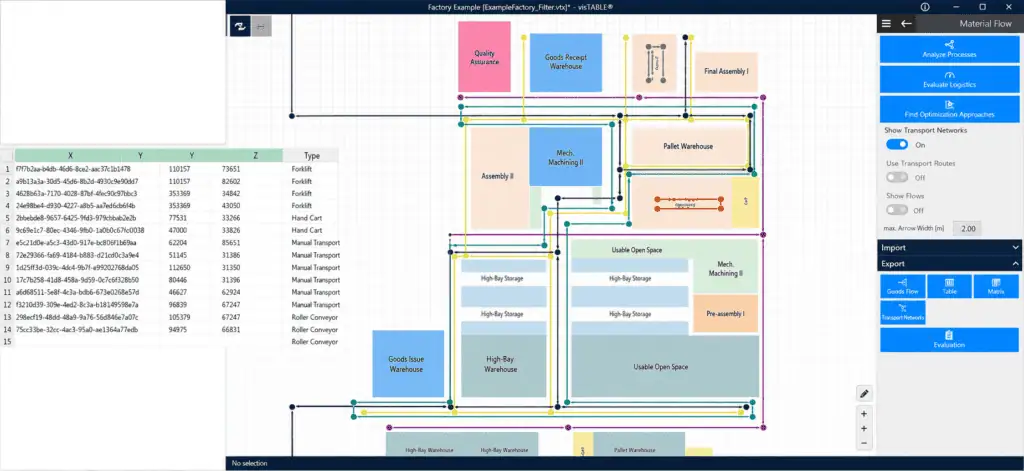
Transport routes can thus be transferred to external systems much more easily. Users who simulate conveyor and transport systems, in particular, benefit from a faster data exchange.
Quick Measuring
Determining distances directly in the layout
Individual distances in the layout are frequently needed for a quick plausibility check or alignment.
What is new?
- Measuring function directly via a ruler tool
- Selection of start and end points via mouse click
- Direct display of the distance within the layout
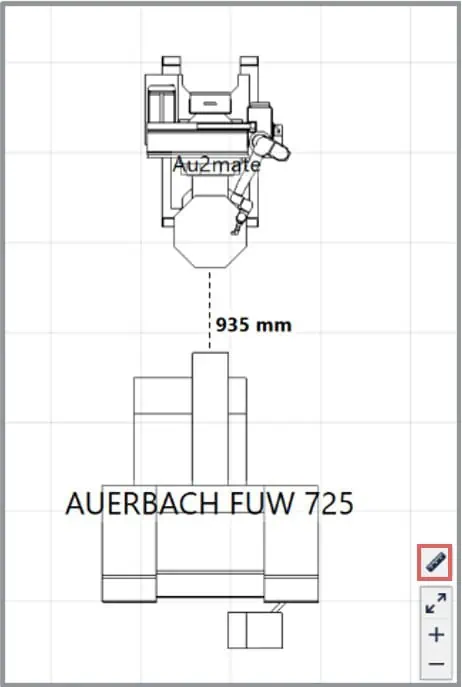
Distances can be determined within a few seconds without additional dimensioning
objects. This saves time during daily layout work.
Favorites in the Model Library
Finding frequently used models faster
The visTable® model library now comprises several thousand models. With the Favorites function, we are simplifying access to frequently used models.
What is new?
- Models can be marked as a favorite
- Automatic compilation of a personal favorites catalog
- The original structure remains intact
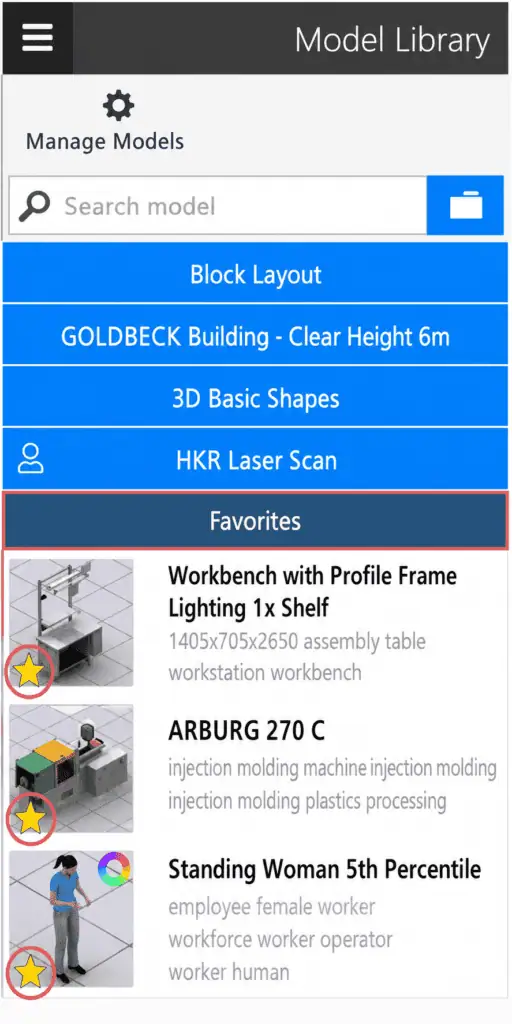
Frequently used models are therefore quickly available at any time.
Imperial Units
Communicating planning results internationally
In international projects, planning results must frequently be communicated in both metric and imperial units of measurement.
What is new?
- Display of areas in imperial units
- Support for layout sizes in imperial units
- Representation of dimensions in imperial units
- Toggling between the metric and imperial system
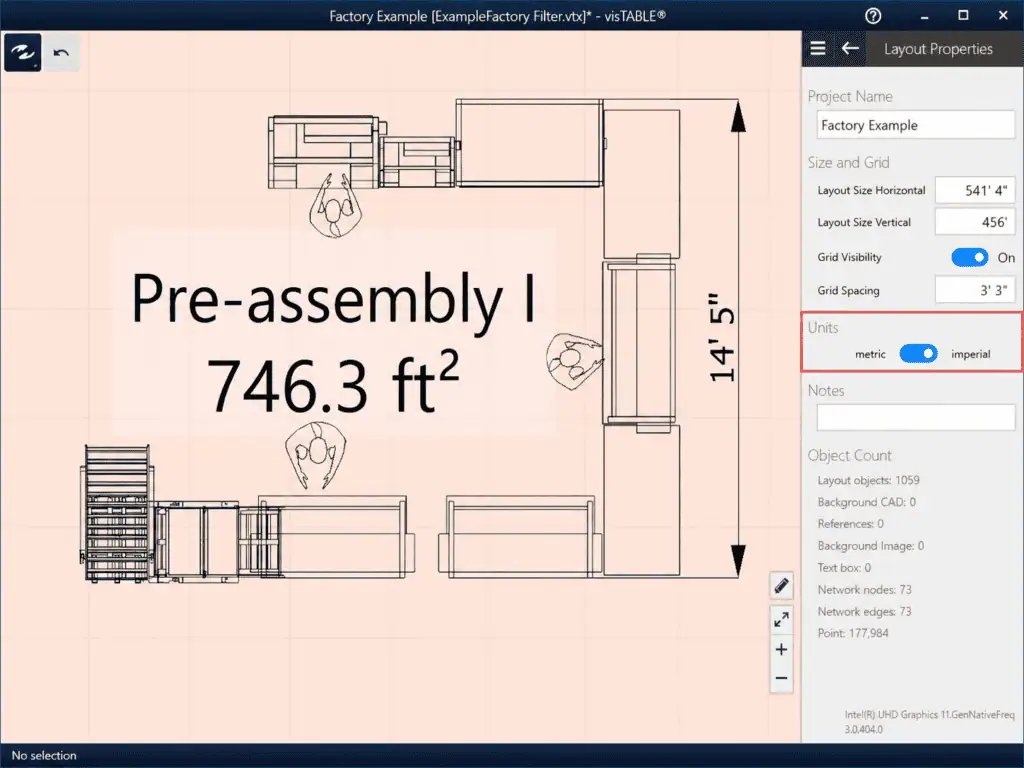
Planning results can be coordinated more easily with international partners and locations.
Model Library Update
New models for infrastructure, safety, and workstations
The model library has been expanded with numerous new models and catalogs in the Summer Release. A key focus lies on safety solutions, technical building equipment, and components for workstation design.
What is new?
- Integration of the A-SAFE product range
- BIMOS work chairs for workstation planning
- FANUC machines & manufacturing systems
- Universal Robots planning templates
- Sockets, RFID gates, and other infrastructure models
- Additional models for warehousing, material flow, and automation
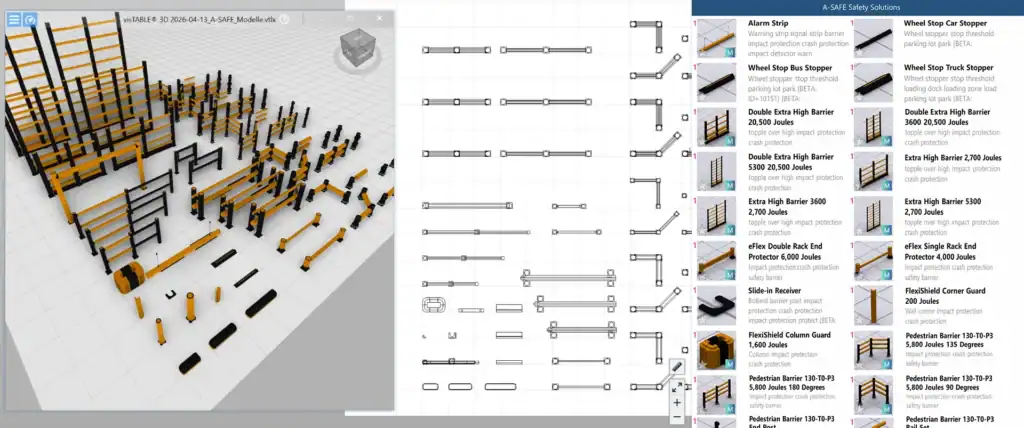
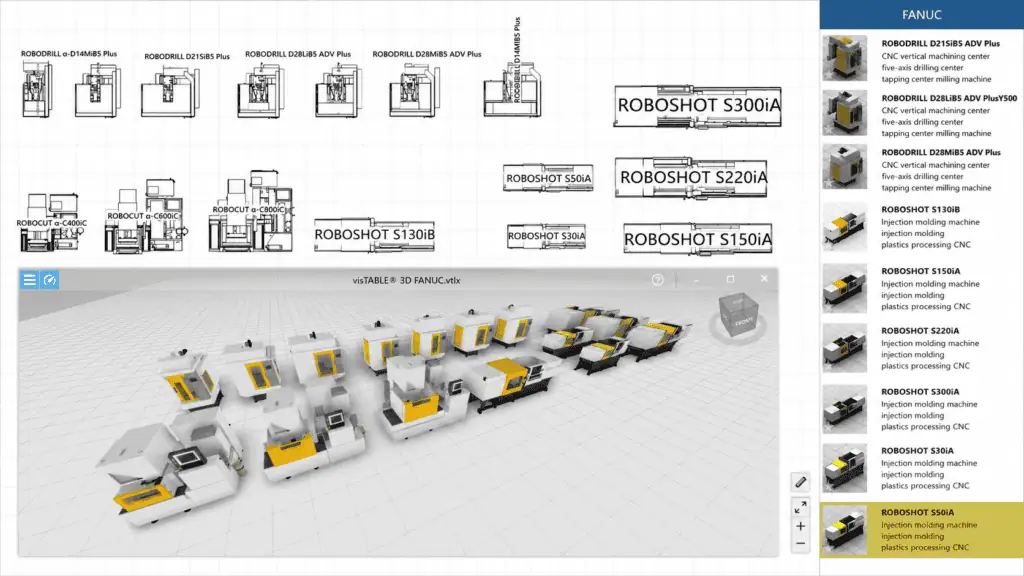
The new models from relevant manufacturers in the areas of safety, infrastructure, workstation design, warehousing, and automation support an even more realistic visualization of digital factories.
The innovations in the Summer Release 2026 are based on specific requirements and feedback from our users across customer projects, training sessions, and roadshows. Thank you very much for the numerous ideas and impulses.